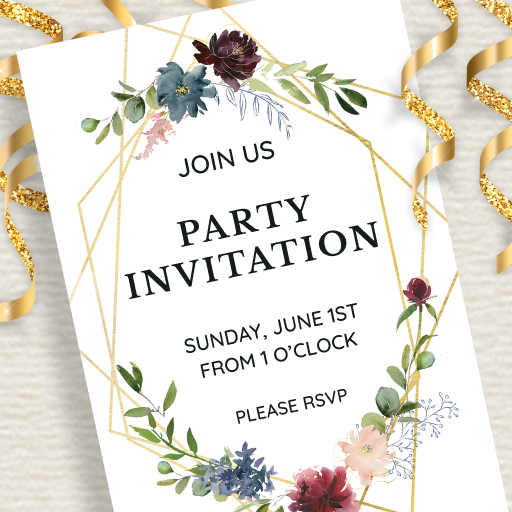
Love this app! I tried many greeting card and invitation apps, and none of them are this simple, user-friendly and with great features. There's even a website for you to sign in (signup/registration is optional) and create your designs from a computer. The invites and greeting cards are beautifully designed and high-quality. I think I'm going to replace all my other invitation/greeting card apps with just this one because it's all I need. I'm happy and VERY impressed!!
Janeen Utley
You get to choose if you want a free card , or choose premium , and I really appreciate this feature! There are a lot of really nice cards to choose from! I haven't tried the invitation maker yet, so I'm not sure how that works, but just the fact that it has this option , I definitely give it 5 stars! You can choose the Fonts & colors , & the way you want it & also personalize the card ,& make the card special, which I really love ! & which really sets this app apart from the rest!
alondra arjon
Overall I like it very much. I love the many many options it has. I've used the app in multiple occasions for multiple invites and always get complaments on the invites I make. But for some reason once in a while I have technical difficulties. *I recommend you "save as draft" as you work on your invite otherwise you'll lose everything.* 😬
Alisha Dickey
It gives you so many options to chose from. However, when adding your own text to the card it doesn't align the text to the card. Meaning it doesn't finish a word before it goes to the next line, so you have half of your word on one line and then the other half of the word on another line. Also, when finished with card it gives you 3 options- 1)print card- 2) save as pdf file to print later- 3) send card. HOWEVER, if you try the send it option it just tells you "an unknown error has occurred"
Amy Byers
This app far exceeds the competition! It is extremely user friendly, has extensive design options and is very responsive. The only reason I did not give it 5 stars is on occasion I would like to add a text box. ***Update 8/11/23 I'm happy about the additional text boxes in app! Thank you! It would be great to be able to work on a project alternating between Android app & PC. Format & fonts currently do not convert correctly. I have tried many card maker apps. This is still my go to! Nice job!
Emefa Knows & Shares
This is a beautiful app, but it's basically for your eyes only! I created a beautiful countdown page for my wedding. After uploading it to Facebook I found out when you click the play button you're routed to an instruction page to download the app. That really sucks because I spent a lot of time creating it and downloading a song to play in the background. Plus I paid to remove all ads. Therefore, I give this a one star. Just a waste of time and money! That should be mentioned upfront!
Mariah Ashe
I love how it gives the option to use their templates or to upload and create your own. If you use their templates, you can still work with it and personalize it. They have the templates well sorted between the different events for the cards. Their templates are also beautiful and unique. Great color palates. Also has very easy user interface- it's easy to use, access and navigate the app. This app is on the same user level as microsoft and Google in it's versatility and ease of use. Love it!
Anastacia Contreras-Garcia
The now so called "Premium" cards used to be free!! That's one of the reasons I loved using this app, but now a lot of the really nice cards are "Premium" cards, which I'll have to subscribe to in order to customize it for a recipient. Such a disappointment, since I've been using this app for over 2 years without needing to pay for these.
Jo Kuan
Great and easy! But i can only save one card! So i have to edit for the next card! Is it possible to save lot of greeting cards? Update from my previous (above) comments. As of today July 3, 202, im amaze that its improving! So far i save 5 cards! I wish can save lots! Thank you! I do love this app coz it's just free and so easy to do and choices are great!
S Jackson
I used a non-Premium image & had no issues. They have a lot of options to choose from with colors, styles, & fonts. When I was done I saved the image to my phone or sent it with 1 click. The watermark was on the side. What I love is that it's just the image & not a text with an ad or anything else. Don't like it? Just click & edit. I did have an issue with getting edit menu to pop up at times & I don't like how easily the boxes move when u click. Should be an align button for entire invite.