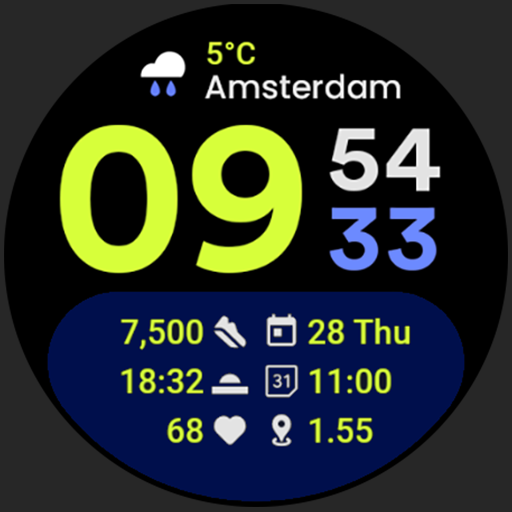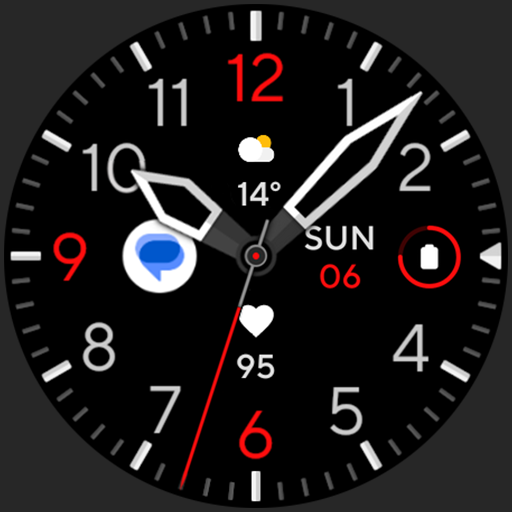
Screenshots
Description
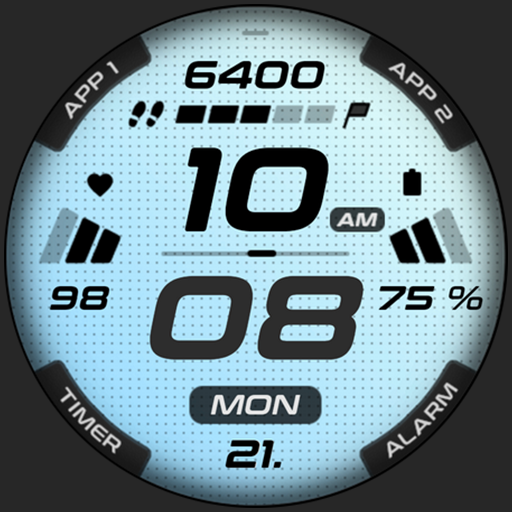
Been using Frontier 2 Watch Face for a couple months now. It’s basically a watch face app with tons of cool customization options. Pretty solid if you’re into that kind of thing.
Here’s what you can do: you can pick from a bunch of different watch face designs, change the colors, add complications like weather and steps. There’s also an always-on display mode which is pretty neat. And you can sync it with your phone to get notifications and stuff.
Look, if you’re into customizing your watch face, you’ll probably like this. It’s not perfect – the settings can be a bit confusing at first – but overall it does the job. Worth checking out.
Editor Opinion
So here's my take on Frontier 2 Watch Face. I've tested a bunch of watch face apps and this one's pretty solid. The customization options are great - you can really make it your own. The always-on display is a nice touch too. But it does have a learning curve, took me a while to figure out all the settings. And the companion app could use some improvements. Overall though, if you want a stylish, personalized watch face, this is worth a look.

Pros & Cons
Pros
- Tons of customization options to make the watch face your own
- Always-on display is super handy
- Looks great on AMOLED screens
- Free to download with no limits
Cons
- Settings can be confusing at first, took me a while to figure it out
- Companion app is a bit clunky
- Limited to Wear OS devices
Specifications
| Updated | 02.01.2025 |
| Category | Lifestyle |
| Age Rating | Everyone |
| Developer | amoledwatchfaces™ |
| Package Name |
com.amoledwatchfaces.frontier2 |
Ratings
User Reviews
Great watch face for Google Pixel Watch
Love the companion part, instant install
Brilliant design wf
Rate this app
Help others by rating key aspects of this app
Frequently Asked Questions
Similar Apps
Everything AA

CopperKnob
The Secret Daily Teachings


Tensor Art
UsA Minimalist Digital -USA159

Fuel Rewards® program

Nebula: Horoscope & Astrology

SoulAlign: AI Emotion Support
Smart Alarm (Alarm Clock)
More from amoledwatchfaces™
Weather Complications: Wear OS
Weather Analog: Watch face
Weather
Weather Forecast Watch Face
Favorite Apps Tile for Wear OS
SPORT xR: Watch face