Screenshots
Description
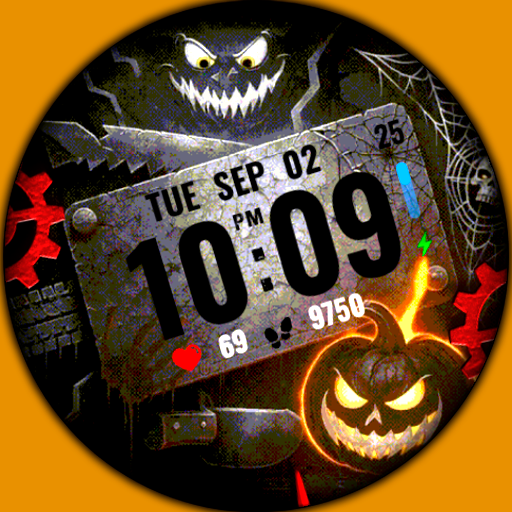
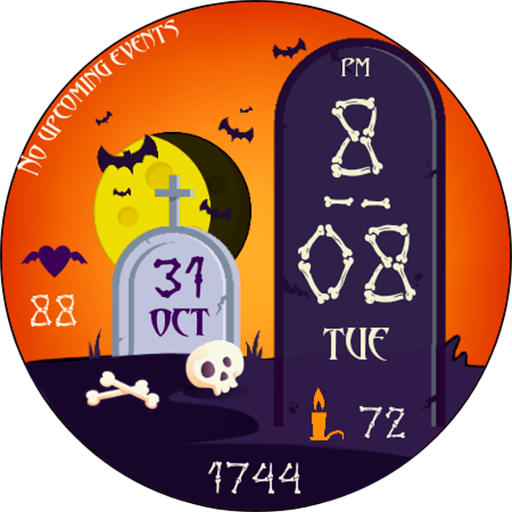
Been using the Halloween Watch Face Wear OS for a couple months now. It’s basically a digital watch face with a fun Halloween theme. Pretty solid app if you’re into customizing your smartwatch.
Here’s what you can do: you can switch between 12 or 24 hour time, see the date, battery level, heart rate, and step count. There’s also a custom complication field you can play around with. Took me a while to figure out all the settings, but the video tutorial helps.
Look, if you want a simple yet stylish Halloween watch face, you’ll probably like this. It’s not perfect – the installation can be a bit tricky if you’re not familiar with Wear OS – but overall it does the job. Worth checking out if you’re rocking a Galaxy Watch or Pixel Watch.
Editor Opinion
So here's my honest take on the Halloween Watch Face Wear OS. I've tested a bunch of watch face apps and this one's pretty solid. The theming and design are really well done - not too in-your-face but just enough Halloween vibes. I like that you can customize the complications too. On the downside, the settings menu is a bit overwhelming at first and the installation process could be smoother. But once you get it set up, it's a nice little Halloween-themed watch face that works well.

Pros & Cons
Pros
- Slick Halloween-themed design that's not too over-the-top
- Tons of customization options with the complications
- Supports latest Wear OS watches like Galaxy Watch and Pixel Watch
- Free to download and use
Cons
- Settings menu can be confusing to navigate at first
- Installation process is a bit tricky if you're not familiar with Wear OS
- Gets old after using it for a while, not much variety
Specifications
| Updated | 08.09.2025 |
| Category | Personalization |
| Age Rating | Everyone |
| Developer | WinWatchfaces |
| Package Name |
com.watchfacestudio.halloweenshifr |
Ratings
Rate this app
Help others by rating key aspects of this app
Frequently Asked Questions
Similar Apps
Sound Profile (Volume control)
WidgetKit-OS18 Themes & Icons
Neon LED Keyboard: RGB & Emoji
TMNT – Cowabunga SE Watch Face
Autumn Falling Leaves
Personalization
Glitter Wallpapers For Girls
OnePro (Dark) – Icon Pack

Make Money: Play & Earn Cash
S4U Shift – Analog watch face

Chill Vector Live Wallpaper
Pet On Screen – Desktop Pet
Sol 3 – animated watch face
More from WinWatchfaces