Screenshots
Description
Been using the Universal Smart Tv Remote Ctrl for a couple months now. It’s basically an app that lets you ditch all those old TV remotes and control everything from your phone. Pretty solid app if you’re tired of losing your remotes or having a million of them lying around.
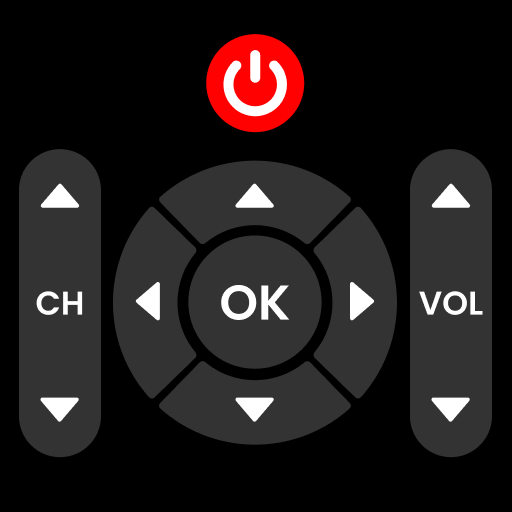
Here’s what you do – there’s a bunch of buttons to power on/off, adjust the volume, change channels, and even navigate menus. And it’s got support for most major TV brands too, so chances are it’ll work with your setup. Took me a little while to figure out all the features but once I got the hang of it, it’s been really convenient.
Look, if you’re always losing your remotes or need to control multiple TVs, you’ll probably like this. It’s not perfect – the setup can be a bit finicky at times – but overall it does the job. Worth checking out if you’re tired of juggling a ton of remotes.
Editor Opinion
So here's my honest take on Universal Smart Tv Remote Ctrl. I've tested a bunch of universal remote apps and this one's pretty solid. The best part is how it consolidates all your TV controls into a single app on your phone. No more hunting for the right remote! The setup can be a little tricky at first, but once it's configured, it works like a charm. The only real downside is that it doesn't always play nice with older TVs. But for most modern smart TVs, it's a game-changer.

Pros & Cons
Pros
- Convenient to have all your TV controls in one place on your phone
- Supports most major TV brands, so it'll probably work with your setup
- Free to use, no subscription required
- Intuitive layout, not too complicated to figure out
- Saved me from constantly losing my TV remote
Cons
- Can be a pain to set up, especially with older TV models
- Occasional connectivity issues, doesn't always respond right away
- Limited customization options, you're stuck with the default layout
- Might not be worth it if you only have one TV to control
Specifications
| Updated | 15.05.2025 |
| Category | House And Home |
| Age Rating | Everyone |
| Developer | Firehawk |
| Android | Android 5.0++ |
| Package Name |
com.mydroid.tv.remote.control.all.tv.controller |
Ratings
User Reviews
Works perfectly on my TV. now i can easily change tv channel without my controller.
awesome TV Remote app. just installed it turned off my TV. then hit the power button on my phone and it worked right.
What is going on here, I just downloaded this app and I paid for a month 😞 for what to have an remote app for display. I need a full...
Rate this app
Help others by rating key aspects of this app
App Permissions
This app requires 1 permissions to function properly:
Frequently Asked Questions
Similar Apps
Pura

B-hyve
Philips TV Remote

TurboTenant for Renters

TenantCloud
Redfin: Buy, Sell & Rent Homes
Parcel Pending

AI Interior Design Home Decor
House And Home
RoomSketcher for Tablets

Tidbyt

Crumb: Keeping Your Pets Safe
Angi: Hire Home Service Pros
More from Firehawk

AutoCap Captions Teleprompter

Blur Video and Photo Editor
GPS Altimeter – Altitude App
Find My Bluetooth Device

Photo Collage Maker & Editor