Screenshots
Description
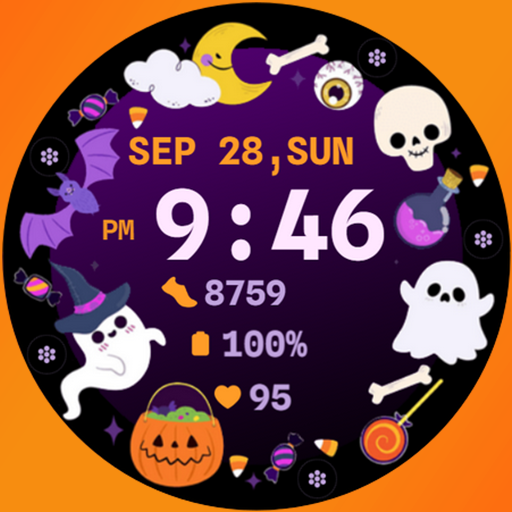
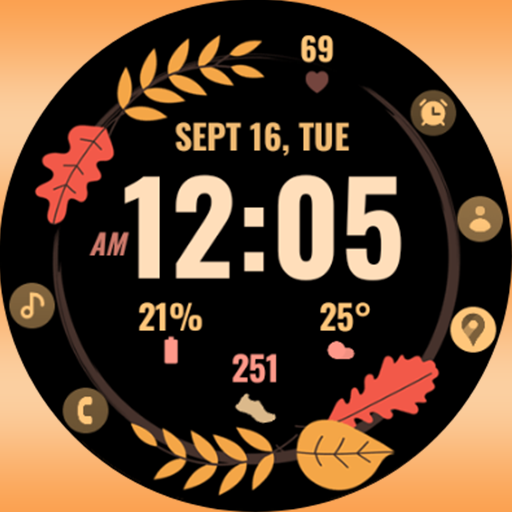
Been using the Spooky Watchface for a couple months now. It’s basically a customizable watch face for Wear OS devices. Pretty solid app if you’re into geeking out with your watch.
Here’s what you can do: There’s an artistic digital clock, plus you can set up 5 custom app shortcuts like Alarm, Calendar, and Steps. And it’s got 2 custom complications where you can show stuff like weather, next appointment, or sunset/sunrise. Took me a while to figure out the customization but it’s actually pretty powerful once you get the hang of it.
Look, if you want to pimp out your smartwatch with a unique and spooky-themed look, you’ll probably like this. It’s not perfect – the watch face editor in the Samsung app can be buggy sometimes – but overall it does the job. Worth checking out.
Editor Opinion
So here's my honest take on Spooky Watchface. I've tested a bunch of watch face apps and this one's one of the more customizable options out there. The digital clock looks really cool and the app shortcuts are super handy. But the setup process can be a bit clunky, especially if you're using a Galaxy Watch. And the developer doesn't seem to update it super often. Overall though, it's a pretty good option if you want to make your watch stand out.

Pros & Cons
Pros
- Tons of customization options to make your watch unique
- Useful app shortcuts and custom complications
- Artistic digital clock face looks great
- Free to download and use
Cons
- Watch face editor can be buggy, especially on Samsung devices
- Not the most frequent updates from the developer
- Bit of a learning curve to set it all up
Specifications
| Updated | 13.09.2025 |
| Category | Personalization |
| Age Rating | Everyone |
| Developer | Bloomfield Watchfaces |
| Package Name |
com.bloomfield.halloween2 |
Ratings
Rate this app
Help others by rating key aspects of this app
Frequently Asked Questions
Similar Apps

Vera Icon Pack: shapeless icon
Step Fantasy Wactch Face

Bow Wallpaper Cute Backgrounds
Beautiful Wallpapers 4K

Radiance KWGT
Emoji Up genmoji sticker maker
Evil Halloween – Wear OS

Ripple & 3D Live Wallpaper
Halloween Cute Frame – Wear OS

GO Launcher S – 3D Theme, Wall
Themes – Widgets, Icon Changer

Everyday Wallpaper
PersonalizationMore from Bloomfield Watchfaces
Autumn Bloom
Personalization