
Home/Applications/Art And Design/SketchPad – Doodle On The Go
SketchPad – Doodle On The Go

SketchPad – Doodle On The Go

Android Art And Design Kaffeine Software
3.4Popularity

Unleash creativity with this simple sketching app

System Requirements

Updated
December 6, 2024
Age Rating
Everyone
Android
Android 5.0++
Package Name
com.kanishka_developer.SketchPad

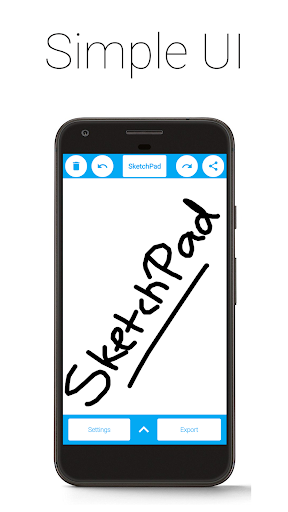
So here's my honest take on SketchPad - Doodle On The Go. I've tested a bunch of drawing apps and this one's pretty solid for what it is - a lightweight, no-fuss sketchpad. The interface is simple and clean, no distractions, which I really like. It's not as feature-packed as some of the pro drawing apps out there, but that also means it's really easy to pick up and start using. I'd say it's a great option if you just want to do some casual doodles and sketches on your phone.

Manya Lyalya
AUTHOR:Manya LyalyaEditor, Grand Screen

Pros

  • Simple, clutter-free interface
  • Tons of customization with brush sizes and color options
  • Completely free with no ads or in-app purchases
  • Lightweight app that doesn't take up much storage
  • Quick to open and start drawing, no complicated setup

Cons

  • Interface is a bit basic, lacks advanced features
  • Gets a little repetitive after a while
  • Doesn't have the precision of dedicated drawing tablets
  • No cloud sync or collaboration features
GOOGLE PLAY SCORE
3.4/5
based on 2,043 reviews
Mixed or Average
67
MY SCORE
Hover and click to give a rating
?
Rate this app

Description

Been using SketchPad – Doodle On The Go for a couple months now. It’s basically a digital sketchpad where you can draw, doodle, and scribble to your heart’s content. Pretty solid app if you’re into casual art and illustration.

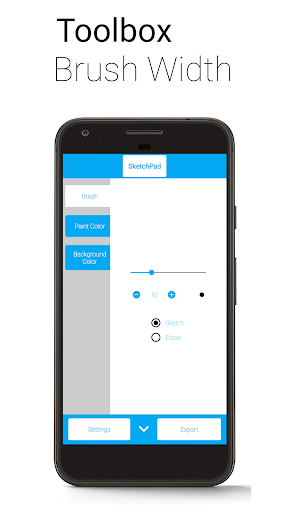
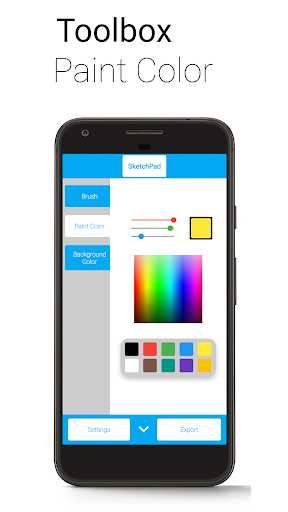
Here’s what you do: you just open the app and start sketching on the blank canvas. And there’s also a bunch of brush sizes and color options, which is pretty cool. And you can even use the spectrum and RGB sliders to pick the exact color you want – took me a while to figure that out but it’s useful.

Look, if you’re into digital art and creativity apps, you’ll probably like this. It’s not perfect – the interface is a bit basic and it can get a little repetitive after a while – but overall it does the job. Worth checking out if you want a simple, no-frills sketching app.
User Reviews

Jonathan TinsmanOctober 14, 2025

Not optimized for mobile. Bottom buttons are blocked by phone navigation (back/home/menu) and I don't know what they do. The accuracy isn't good. Tried to do 2 little circles and...

A Google userOctober 14, 2025

Developer comments alone. *edit* bc you care to check, i couldn't keep your app unfortunately bc my phone didn't agree with it. ("Hand-me-down" from my mom, i think its processor...

JeDee CallOctober 14, 2025

it might be a good app. I'm not sure because after I downloaded it everything I clicked on was a hidden ad to go download something else. I was so...

Rate this app

Help others by rating key aspects of this app

Usability

50%

Features

50%

Design

50%

Frequently Asked Questions